If you've ever printed a sheet of Erin Condren planner stickers and felt like something was off even though the colors and layout looked right the fonts might be the problem. The right bold typography duo can make your headers pop off the page, organize your week at a glance, and give your entire planner a cohesive, polished look. The wrong pairing can make everything feel cluttered or hard to read, especially at sticker size. Getting this right matters because Erin Condren planner stickers are small, visual tools. Every letter has to work hard. A solid bold font pairing grabs attention fast without overwhelming the design around it.
What exactly is a bold typography duo?
A bold typography duo is simply two bold or heavy-weight fonts that work well together in one design. In the context of planner stickers, this usually means one font for the main header like a category name or section title and a second font for subheaders, labels, or supporting text. Both fonts carry visual weight, but they still need to feel different enough to create contrast and hierarchy.
For example, you might pair a bold condensed sans-serif like Bebas Neue with a bold serif like Playfair Display. The condensed font gives a clean, modern feel for headers, while the serif adds a slightly softer, editorial touch for subcategories. They're both bold, but they serve different visual roles.
Unlike mixing a bold font with a light or thin one, bold duos are about creating energy and punch. They work especially well for sticker designs that need to be read quickly weekly layouts, meal planning sheets, fitness trackers, and habit logs.
Why does font pairing matter for Erin Condren stickers specifically?
Erin Condren planners have a distinct layout with vertical columns, horizontal boxes, and color-coded sections. Stickers designed for these planners need to fit small spaces while still being readable from arm's length. A single bold font can look flat or one-dimensional in that context. Pairing two bold fonts creates visual movement your eye knows exactly where to look first and where to go next.
This is especially true for functional stickers, like "To Do" lists, priority headers, or schedule labels. A well-chosen duo makes the difference between stickers that look like they came from a template and stickers that feel thoughtfully designed.
If you're new to this, you can read more about how to choose bold font duos for planner sticker headers to understand the basics before committing to a pairing.
What types of bold font duos actually work at sticker size?
Not every bold font pairing translates well to small printed stickers. Here are the combinations that tend to work best for planner sticker designs:
Bold sans-serif + bold serif
This is the most popular pairing style. A bold sans-serif handles the main header, and a bold serif supports it as a subheader or label. Examples include Montserrat Bold paired with Lora Bold. The sans-serif feels structured and clean, while the serif adds warmth and personality. This pairing reads well even at 8–10pt size on glossy sticker paper.
You'll find more examples of these combinations in this breakdown of modern bold serif and sans-serif combinations for planner stickers.
Bold condensed + bold wide sans-serif
A condensed bold font like Oswald paired with a wider bold sans like Poppins Bold creates interesting contrast through letter shape alone. The condensed font fits more characters in tight spaces perfect for headers like "WEEKLY MEAL PREP" while the wider font gives breathing room for sub-labels like "Monday" or "Groceries."
Bold display + bold geometric sans
A bold display or decorative font like Abril Fatface combined with a geometric bold sans like Josefin Sans Bold gives stickers a stylish, editorial look. This pairing works best for aesthetic or decorative stickers think mood boards, vision board layouts, or themed dashboard stickers rather than dense functional stickers.
For a curated list of pairings organized by style, the best bold header font pairings for planner stickers page has options you can test directly in your design software.
When should you use bold duos instead of a single bold font?
A single bold font works fine for simple stickers with one line of text a standalone "DONE" checkbox sticker, for example. But when your sticker has a header and a subheader, or a title and body text, a duo gives you the hierarchy your design needs.
Use bold duos for:
- Weekly and daily layout headers with date sub-labels
- Category stickers like "Self-Care," "Finances," or "Work" with supporting details
- Meal planning sheets with day-by-day breakdowns
- Habit tracker headers paired with individual habit labels
- Dashboard or cover page stickers that need a strong visual statement
Use a single bold font when the sticker only has one piece of text, or when the sticker sits inside a box or shape that already provides visual structure.
What are the most common mistakes people make with bold font pairings?
Choosing two fonts that are too similar. If your header and subheader use two bold sans-serifs with nearly the same width and weight, the text blends together and the hierarchy disappears. The reader can't tell what's the title and what's the detail.
Ignoring letter spacing at small sizes. Bold fonts with tight default spacing can look like a wall of ink on a 1.5-inch sticker. Always check your kerning and tracking before printing. A little extra letter spacing in the subheader can improve readability a lot.
Overusing bold display fonts. A decorative bold font looks amazing in a header, but if you also use it for the subheader, the sticker becomes noisy and hard to scan. Keep display fonts to one role usually the main header and let the supporting font be simpler.
Not testing on actual sticker paper. Fonts that look great on screen can bleed together when printed on glossy sticker paper with an inkjet printer. Always do a test print on the actual paper you plan to use. Check for legibility at the final sticker size before committing to a full sheet.
Matching weights without matching mood. Two fonts can both be bold and still clash if their personalities don't align. A playful rounded bold paired with a sharp, industrial bold sends mixed signals. Think about the overall mood modern, feminine, minimalist, retro and choose both fonts from that same emotional family.
How do you pair bold fonts if you're not a designer?
You don't need a design degree to pair fonts well. Here's a straightforward process:
- Pick your header font first. Choose a bold font that matches the style of your planner stickers modern, whimsical, clean, or decorative.
- Find a contrasting companion. Look for a second bold font from a different category. If your header is a bold serif, try a bold sans-serif for the subheader. If it's condensed, try something wider.
- Check the x-height. Make sure both fonts have similar lowercase letter heights so they feel proportional when placed close together on a sticker.
- Print a test sheet. Type out a few sticker designs with your duo, print them at actual size, and hold them inside your planner. Read them at arm's length. If you can scan the text quickly, the pairing works.
- Adjust and refine. Change the size ratio between header and subheader. Try swapping the weight (bold for extra bold). Small adjustments can take a pairing from good to great.
What are some real font duos I can try right now?
Here are specific pairings that work well for Erin Condren planner stickers:
- Anton + Raleway Bold A condensed display sans for headers paired with a clean, slightly wider sans for sub-labels. Great for minimalist sticker sheets.
- Bodoni Moda Bold + DM Sans Bold A high-contrast serif header with a neutral geometric sans subheader. Gives stickers an editorial, magazine-style look.
- Merriweather Bold + Josefin Sans Bold A sturdy serif with a slightly retro geometric sans. Works well for warm, approachable sticker themes.
- Bebas Neue + Lora Bold A tall, condensed all-caps header with an elegant serif subheader. Strong contrast that reads clearly at small sizes.
Quick checklist before you print your next sticker sheet
- Both fonts are bold or heavy weight no thin or light fonts sneaking in
- The two fonts come from different categories (serif vs. sans, condensed vs. wide)
- Header and subheader have a clear size difference at least 2–4pt apart
- Letter spacing looks clean at actual sticker size
- You've printed a test page on your real sticker paper
- The mood and personality of both fonts match your planner's overall style
- Text is readable from arm's length when the sticker is placed in your planner
Start by picking one of the duos listed above, printing a small test sheet, and placing the stickers in your Erin Condren planner. You'll know within a minute if the pairing works for your style. If it doesn't, swap the subheader font and try again small changes make a big difference at sticker scale.
Download Now Best Bold Header Font Pairings for Planner Stickers – Perfect Duos for Every Design
 How to Choose Bold Font Duos for Planner Sticker Headers
 Minimalist Bold Header Font Pairings for Planner Stickers
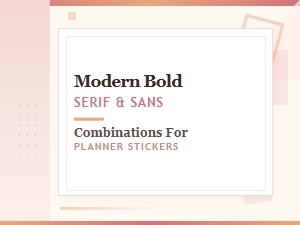 Modern Bold Serif and Sans-Serif Font Pairings for Planner Stickers
 How to Pair Script Fonts with Sans Serif for Sticker Labels: a Style Guide
 Best Script and Sans Serif Font Pairings for Planner Stickers